


Pinkfong Baby Shark Phone Game
3.4336.00 Reviews
App Specs
- Version
- 30.33
- Updated On
- License
- Free
- Downloads
- 10,000,000+
- Developer
- The Pinkfong Company
- Categories
- Education
- Platform
- Android, iOS
Screenshots
 Analysis by AppCompare
For a young child who already loves Baby Shark, the strongest appeal of Pinkfong Baby Shark Phone Game is how it turns familiar characters and songs into something a child can tap through independently. I find that familiarity useful: a toddler may be more willing to explore an activity when the people and music already feel recognizable. The trade-off is that a favorite song can be a very persistent soundtrack for the rest of the household.
What the familiar characters change
Pinkfong Baby Shark Phone Game is an educational app from The Pinkfong Company, but I would think of it as playful practice rather than a structured lesson. Its focus on ABCs and numbers sits alongside Baby Shark-themed entertainment, so a child can encounter early learning in a setting that feels like play. That can make it a handy first stop for a preschooler who is not yet interested in a conventional learning app.
The key benefit is not that a song or a mini-game will teach a child a subject by itself. It is that a recognizable tune, images, and simple interactions can give a young child a reason to stay with an activity. I would use it as a short, supervised part of a day, not as a substitute for talking, reading, drawing, or practicing letters together.
How I would fit it into a short routine
If I had a few minutes to fill while waiting for an appointment, I would offer one activity and stay nearby rather than hand over the phone for an open-ended session. The child can tap and listen, while I can ask them to point to a letter or count along when the moment arises. That small bit of shared attention makes the screen time feel more purposeful, without expecting the app to do the teaching for me.
For an adult setting it up, I would first explore the available sections myself and decide which ones suit the child’s age and patience. That is also a useful way to learn where the child can move between activities and whether a favorite song is likely to be repeated. A simple routine—choose, play, then put the phone away—can help prevent the familiar “one more” loop from taking over.
The app is free to download, though in-app purchases range from $4.99 to $107.88 per item. I would check the purchase settings on the device before letting a child use it alone. That is especially worthwhile when little hands are tapping quickly through bright screens: a child may not understand the difference between opening an activity and making a purchase.
How it differs from a quieter learning app
Compared with a letter-tracing or number-drill app, this one is better suited to children who respond to songs and familiar characters than to children who want a calm, step-by-step lesson. A more focused learning app may make progress easier for an adult to follow; Baby Shark’s appeal is the invitation to engage, not a classroom-style sequence. If your goal is deliberate handwriting practice or a quiet activity before bed, I would choose something less musical and more narrowly focused.
Worth Reading Before You Choose

EA SPORTS FC Mobile 26 Is a Bigger Football Game, but It Takes Time

Flipboard Shows What News Apps Must Do Beyond the Feed

Switching to Android Auto Means Rethinking Your Driving Routine

Google Calendar Makes a Crowded Week Easier to Manage

Ludo King Makes the Most of the Minutes Between Plans

Baby Panda World Brings Quick Play to Modern Phones, but Its Game Library Feels Busy
It also differs from putting on a video. A child can interact with the app rather than only watch, which may make the experience feel more active. But interaction alone does not guarantee learning, and a parent still has to decide when to stop. I would treat it as a small activity choice, not as a babysitter or a replacement for offline play.
Who is most likely to enjoy it
This is most likely to suit a toddler or preschooler who already recognizes Baby Shark and enjoys pressing, listening, and repeating. It may also help a caregiver who wants a familiar, child-oriented option for a brief wait or a quiet moment at home. The age rating is Everyone, but that broad rating does not mean every activity will suit every child; I would still choose content based on the child’s age and how they respond to screens.
I would skip it for a child who is not interested in Baby Shark, gets overstimulated by repeated music, or needs a highly structured learning tool. It may also be a poor fit for an adult who wants a completely offline activity: some features require an internet connection, so I would test the intended activity before relying on it during travel. The app has an average rating of 3.4 from around 22,000 ratings, which is a useful reminder that its appeal is not universal.
It has more than 10 million installs, and it first appeared on June 8, 2016. The current version is 30.33, and it requires Android 9 or later. Those details matter if you are checking compatibility on an older device; I would confirm that before planning to use it as a go-to activity.
Have you ever found yourself in the never-ending loop of the "Baby Shark" song? Well, brace yourself because the Pinkfong Baby Shark Phone Game takes that catchy tune to a whole new level. As a parent, I understand the quest for that perfect app that keeps my little ones entertained while also being educational. So, I decided to take the plunge and see what this app has to offer.
What’s the Buzz About?
Let me set the scene for you. The app is like a virtual playground filled with colorful characters, interactive elements, and, of course, the infamous Baby Shark family. The app promises to be a haven for young children, providing a safe and engaging digital environment. But does it deliver? Well, I dove in to find out.
First Impressions
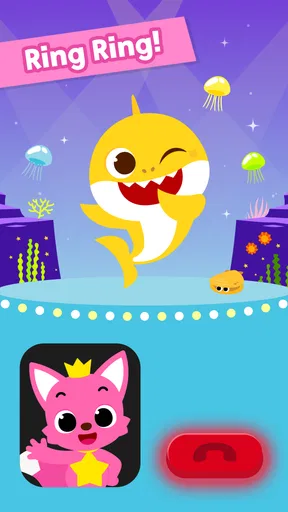
Upon downloading the app, I was greeted by a vibrant splash screen that immediately caught my kids' attention. The graphics are bright, appealing, and perfectly designed for little eyes. After a quick setup, we were ready to explore the underwater world.
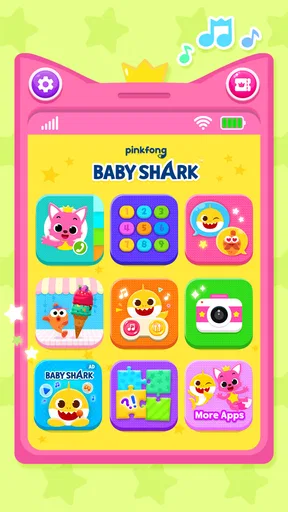
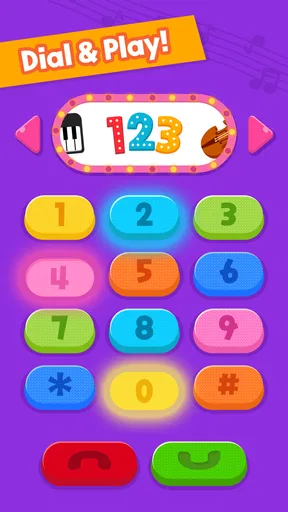
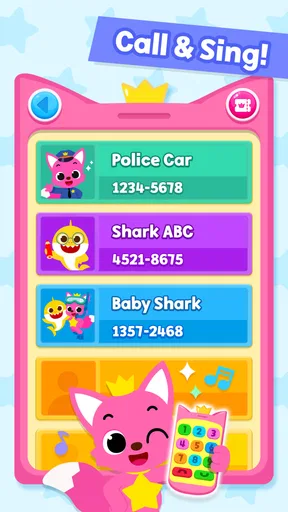
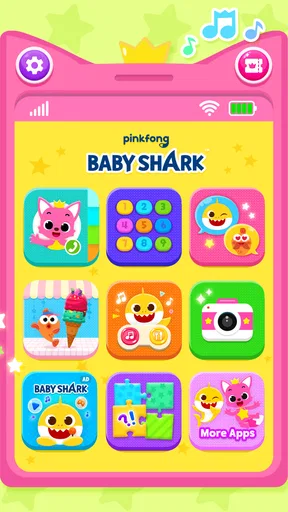
The app’s interface is intuitive, which is a huge plus. My toddlers had no trouble navigating through the different sections. With a simple tap, they could jump into various activities, from singing along with Baby Shark to playing mini-games.
Diving Deeper into the Features
The app is packed with fun features that kept my kids engaged for quite some time. Here’s a breakdown of what you can expect:
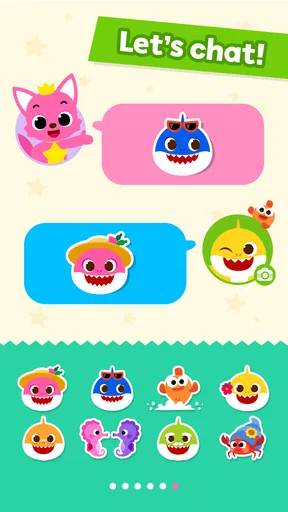
- Sing Along Fun: The karaoke-style sing-along feature is a hit. It allows kids to sing with Baby Shark and his family. The lyrics display on the screen, making it easy for kids to follow along and learn.
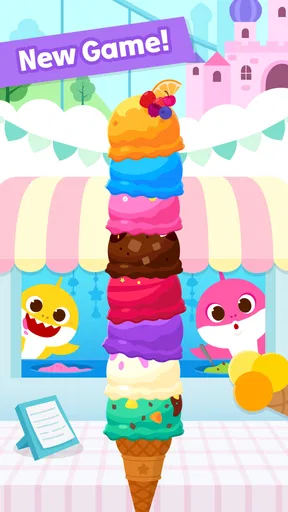
- Interactive Games: There are several mini-games designed to develop motor skills and hand-eye coordination. From matching games to simple puzzles, my kids were entertained and challenged.
- Creative Mode: A section where kids can create their own music videos with Baby Shark. Trust me, watching their creations is quite the experience.
Educational Value
While the app is primarily designed for entertainment, it does sneak in some educational benefits. The games encourage problem-solving and critical thinking, while the sing-along feature supports language development. It’s like getting a bit of education wrapped in a fun package!
A Few Things to Consider
Now, no app is without its quirks. One thing to note is the repetitive nature of the content. While my kids didn’t mind it, I did find myself humming "Baby Shark" long after they were done playing. Also, the app offers in-app purchases, so it’s a good idea to set controls if you don't want unexpected charges.
Another point to consider is the necessity of an internet connection for some features. It’s not a dealbreaker, but something to keep in mind if you’re planning to use the app on the go without Wi-Fi.
The Final Splash
All in all, the app is a delightful addition to any toddler’s digital library. It’s colorful, engaging, and, most importantly, it keeps the kids happy and entertained. As a parent, that’s a win in my book.
If your little ones are fans of Baby Shark, this app is definitely worth a download. Just be prepared to have that catchy tune stuck in your head. But hey, anything for a few moments of peace, right?
Pros
- Engaging and colorful graphics.
- Easy-to-use interface for kids.
- Educational content included.
- Variety of interactive activities.
- Supports multiple languages.
Cons
- Limited free content available.
- Contains in-app advertisements.
- Requires internet for some features.
- May have repetitive gameplay.
- No parental control options.
FAQs for Pinkfong Baby Shark Phone Game
What is the Pinkfong Baby Shark Phone Game?
The Pinkfong Baby Shark Phone Game is an interactive app designed for young children featuring the popular Baby Shark character. It includes educational games, songs, and activities that help enhance cognitive skills. The colorful graphics and engaging content make it a favorite among kids who love Baby Shark.
Is the Pinkfong Baby Shark Phone Game safe for children?
Yes, the Pinkfong Baby Shark Phone Game is designed with children's safety in mind. It features age-appropriate content, no third-party ads, and parental controls to ensure a safe and controlled environment. Parents can monitor in-app purchases and set playtime limits to manage usage.
What age group is the Pinkfong Baby Shark Phone Game suitable for?
The game is ideally suited for children aged 2 to 5 years. Its simple, interactive interface and educational content are designed to engage toddlers and preschoolers. The app offers various activities that cater to different learning stages, promoting early development in a fun way.
Does the Pinkfong Baby Shark Phone Game require an internet connection?
While some features of the Pinkfong Baby Shark Phone Game may require an internet connection for downloading additional content or updates, many activities can be played offline. This allows children to enjoy the app without needing constant internet access, making it convenient for travel.
Are there in-app purchases in the Pinkfong Baby Shark Phone Game?
Yes, the Pinkfong Baby Shark Phone Game offers in-app purchases for additional content such as new songs, games, or features. However, these purchases are optional, and the app includes parental controls to prevent unauthorized transactions, ensuring parents can manage spending effectively.


